
AI Voice Agent for Website: 2026 Guide
David M.
CEO, Woizer
AI Voice Agent for Website: 2026 Guide
Most websites are built to be explored visually. That works for visitors who know exactly what they want. It breaks down when someone has a question, cannot find the right page, or needs help completing a form.
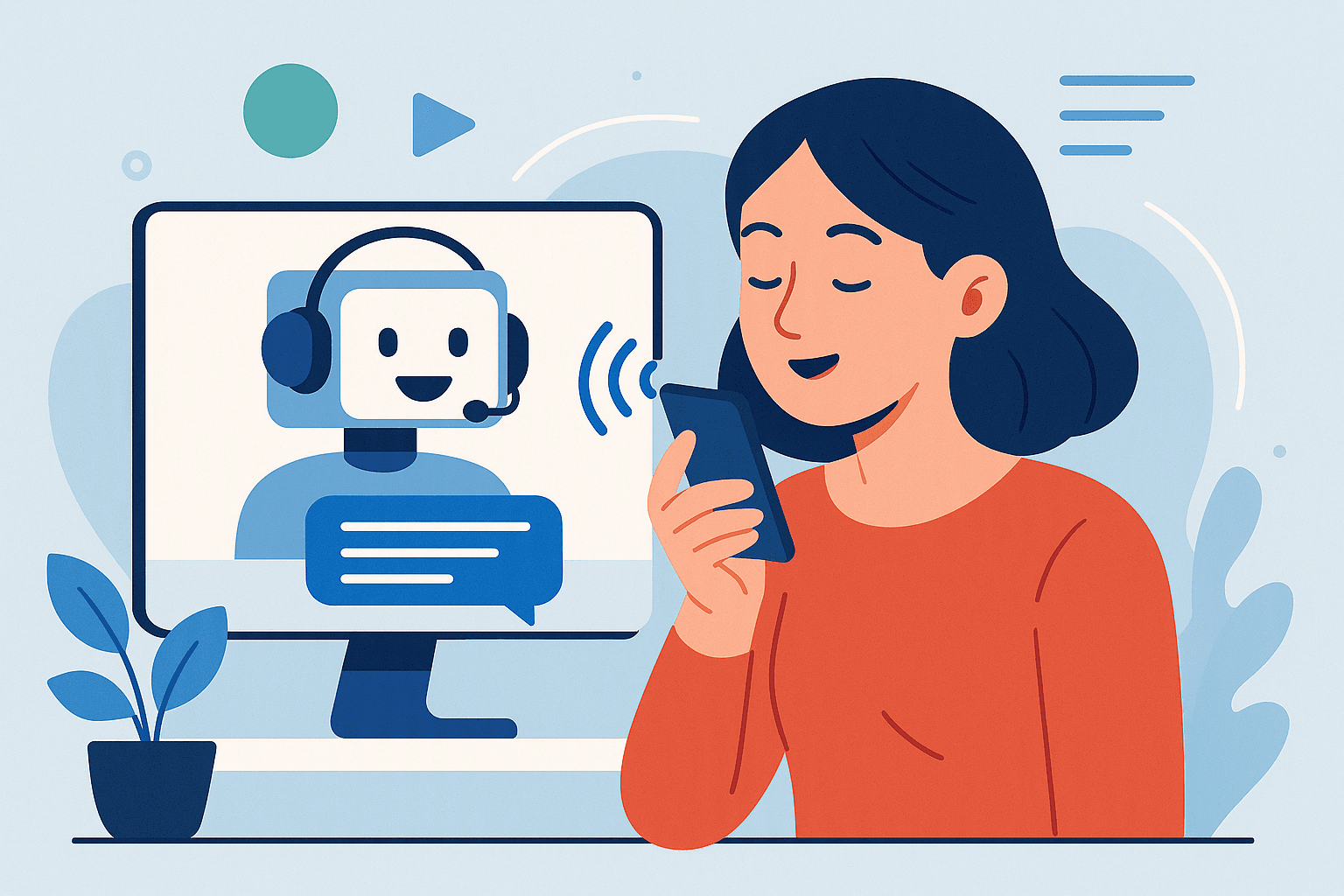
An AI voice agent for website visitors adds a conversational layer to your site. Instead of forcing people to search through menus, read every service page, or wait for a team member, the agent can answer questions, navigate pages, click buttons, fill forms, and capture lead details through voice or text.
For a small business, this means your website can do more than display information. It can actively guide visitors toward the next step—whether that is booking an appointment, requesting a quote, completing an application, or speaking with the right department.
Key Takeaways
- An AI voice agent for website visitors combines voice and text assistance directly inside your existing site.
- The best agents do more than answer FAQs: they navigate pages, interact with buttons, guide forms, and capture lead information.
- Voice assistance is especially useful for complex services, mobile visitors, accessibility needs, and high-intent prospects who want an immediate answer.
- A practical implementation starts with a focused use case, clear escalation rules, and a small set of measurable conversion goals.
- Woizer’s Widget Agent can be added to any website with one script tag and configured through a no-code setup that starts with a website URL scan.
What Is an AI Voice Agent for a Website?
An AI voice agent for a website is a conversational software agent that interacts with visitors through spoken language. Depending on the product, visitors may also be able to type messages, click suggested options, and move through the site while the agent assists them.
Unlike a traditional chatbot, a website voice agent is not limited to a small chat window and a list of prewritten replies. A capable agent can:
- Answer questions about products, services, pricing, hours, policies, or availability
- Explain what a business offers in plain language
- Send visitors to relevant pages
- Click buttons or open sections of the site
- Help visitors choose between services
- Guide users through multi-step forms
- Collect names, phone numbers, email addresses, and project details
- Route urgent questions or support requests
- Trigger SMS follow-ups
- Hand conversations to a human when needed
The distinction matters. A basic chatbot may tell a visitor, “You can find that information on our services page.” A website voice agent can take the visitor there, explain the options, and help them complete the next action.
For businesses, the goal is not to make the website sound more advanced. The goal is to remove friction between a visitor’s question and a measurable business outcome.
Why Website Visitors Need More Than Static Pages
A website usually assumes the visitor understands the business before they arrive. In reality, many visitors are still trying to answer basic questions:
- Is this service right for my situation?
- How much does it cost?
- Which option should I choose?
- Do I qualify?
- What happens after I submit the form?
- Can I book an appointment today?
- Is this business available in my area?
- Can someone call me back?
A visitor who cannot find an answer may leave, even if the business is a good fit.
This problem is particularly common when:
The service is complicated
Insurance, legal services, healthcare, financial products, home improvement, and B2B software often require explanation before a visitor is ready to convert. A standard contact form cannot answer questions while it collects information.
The website has too many paths
A visitor may need to choose between several service categories, locations, appointment types, or product plans. More options can create more confusion if the site does not provide guidance.
The visitor is on a mobile device
Small screens make navigation, menus, and long forms more difficult. Voice can provide a faster way to ask a question or find the correct page.
The business is not staffed around the clock
A visitor may arrive after closing, during a lunch break, or while the team is serving other customers. Without assistance, the website becomes passive during the moments when the business is unavailable.
The conversion requires several steps
A high-value lead may need to provide details, choose a category, upload information, schedule a consultation, or complete an eligibility form. Every additional step creates another opportunity for abandonment.
An AI voice agent does not eliminate the need for good website content. It makes that content easier to access and turns the site into an interactive experience.
See it work on your site
Paste your URL — get a working voice agent in 2 minutes. Free, no credit card.
How an AI Voice Agent for Website Visitors Works
A website voice agent typically combines speech recognition, language understanding, text-to-speech, business rules, and website actions.
Here is the basic flow:
- A visitor opens your website.
- The agent introduces itself through a voice or text interface.
- The visitor asks a question or selects a suggested prompt.
- The agent interprets the request using your website content and instructions.
- It responds in natural language.
- If appropriate, it takes an action—such as opening a page, selecting an option, filling a field, or capturing contact information.
- It confirms the next step and records the interaction for follow-up or handoff.
A useful agent needs more than access to your web pages. It also needs clear boundaries.
You should define:
- What the agent can answer
- Which pages or actions it can use
- What information it may collect
- Which questions require a human
- What counts as an emergency
- How leads should be routed
- What the visitor should expect after submitting information
This prevents the agent from improvising beyond its role.
Voice and text should work together
Some visitors will want to speak. Others will prefer typing, especially in a public workplace or when they do not want audio. The strongest website experiences support both modes without forcing users into one.
A visitor might type, “Do you serve Queens?” and then continue by voice. Another might speak a question and click a suggested service option. The interaction should feel flexible rather than like a phone tree placed inside a webpage.
What Can an AI Voice Agent Do on Your Website?
1. Answer product and service questions
The agent can explain your core offerings, service areas, business hours, requirements, and general policies. It can also direct visitors to detailed pages when they need more information.
For example, a home services business could configure the agent to answer:
- Do you repair water heaters?
- Do you serve my ZIP code?
- Do you offer same-day appointments?
- What information should I provide for an estimate?
The agent should distinguish between general information and a guaranteed quote. If pricing depends on an inspection, it can explain that clearly and move the visitor toward an estimate request.
2. Navigate visitors through the site
Many website agents stop at conversation. A more capable agent can interact with the page itself.
It may:
- Open the pricing page
- Highlight a product
- Click “Book a consultation”
- Expand a frequently asked question
- Move to a specific service category
- Direct the visitor to a location page
- Start a contact or application form
This reduces the gap between “I want to learn more” and “I have taken the next step.”
3. Capture qualified leads
A website agent can collect more useful information than a generic “Contact us” form.
For example, instead of asking only for a name and email, it might ask:
- What service are you interested in?
- What is the location of the project?
- When would you like help?
- What problem are you trying to solve?
- What is the best way to reach you?
The agent can then pass the information to your CRM, inbox, calendar, or follow-up workflow, depending on your setup.
4. Guide complex forms
Forms are often necessary but frustrating. Visitors may not understand a question, know which option applies, or want reassurance before entering sensitive information.
A voice-guided form assistant can explain each field conversationally and fill it in as the visitor speaks.
For example:
“I need help choosing the right insurance coverage, but I am not sure which category applies.”
The agent can explain the available options, ask clarifying questions, and populate the appropriate fields. This is especially useful for insurance, HR onboarding, applications, booking workflows, and intake forms.
Learn more about how the Woizer Form Assistant can support form-heavy workflows.
5. Route urgent requests
A website agent can identify urgent intent and follow a predefined escalation path.
For a dental practice, it might distinguish between:
- A routine cleaning request
- A question about insurance
- Severe pain or swelling
- A suspected emergency
The agent should not diagnose medical conditions. It can provide the business’s approved instructions, direct the visitor to emergency resources when appropriate, and notify the team according to the practice’s rules.
6. Send follow-up messages
If a visitor requests a callback or appointment link, the agent can send an SMS follow-up after collecting consent and a phone number.
This is useful when the visitor is not ready to complete the process immediately. Instead of losing the session, the business can provide a link, confirmation, or next step while the visitor is still engaged.
Real-World Scenarios
The following examples use realistic business situations with illustrative numbers. They show how to think about workflow design without treating the numbers as industry benchmarks.
Scenario 1: A dental office handling appointment requests
Imagine a dental practice with:
- 3 front-desk employees
- 40 website appointment inquiries per week
- 12 inquiries arriving outside normal office hours
- An average appointment value of $250
- A six-field booking form
The practice adds an AI voice agent to its website.
A visitor says, “I need a new patient appointment, but I have questions about insurance.” The agent:
- Explains the practice’s accepted insurance information based on approved content.
- Opens the new patient booking flow.
- Asks for the visitor’s preferred appointment type.
- Collects contact information.
- Offers available scheduling options or requests a callback.
- Sends an SMS confirmation if the visitor chooses that option.
The agent does not replace the front desk. It handles repetitive questions and gathers the information needed for staff to act quickly.
If the agent helps 8 of those 12 after-hours inquiries submit complete requests, the team begins the next business day with usable information instead of voicemail messages or incomplete forms. The practice can then measure how many requests become scheduled appointments.
For a dental practice, a dedicated AI receptionist for dental offices may also be relevant when website and phone workflows need to work together.
Scenario 2: A home services company qualifying quote requests
Consider a plumbing company with:
- 5 technicians
- 60 website visitors per week who view service pages
- 20 quote requests per week
- A quote form with 10 fields
- Service calls that vary significantly by location and problem type
A visitor arrives on the emergency plumbing page and asks, “Can you come tonight?”
The agent can:
- Confirm the company’s stated service area
- Ask whether the issue involves an active leak or another urgent situation
- Provide the business’s approved safety guidance
- Collect the address and callback number
- Route the request according to emergency rules
- Send a confirmation message
For a non-urgent request, the agent can ask about the property type, issue, preferred timing, and photos if the workflow supports them. It can then direct the visitor to the appropriate request form.
The specific benefit is not simply that the agent talks. It gathers the details a dispatcher or technician needs, reducing back-and-forth before the company can respond.
Scenario 3: A software company helping visitors choose a plan
Imagine a SaaS company with three plans and a pricing page that receives questions such as:
- Which plan supports multiple locations?
- Do I need an integration?
- Can I change plans later?
- Is onboarding included?
- How many users can I add?
A website voice agent can ask about the visitor’s team size, use case, and required features. It can then explain the relevant plan differences, open the correct comparison section, and offer a demo request.
The agent should avoid making unsupported promises. If the visitor asks about a feature that requires technical confirmation, it can say so and route the question to sales or support.
AI Voice Agent vs. Chatbot, Live Chat, and Phone Support
These tools serve different purposes. The right choice depends on the visitor’s intent and the type of help they need.
| Option | Best for | Main limitation |
|---|---|---|
| Static website | Basic information and self-service research | Visitors must find and interpret information themselves |
| Traditional chatbot | FAQs, simple routing, typed support | Often limited in navigation and real-world actions |
| Live chat | Complex conversations requiring a person | Requires staff coverage and response availability |
| Phone support | High-touch conversations and urgent requests | Visitors must leave the website or call separately |
| AI voice agent for website | Guided navigation, lead capture, form completion, and immediate answers | Needs careful setup, testing, and escalation rules |
A website voice agent is not a universal replacement for live staff. It is a way to handle the first layer of interaction consistently while reserving human time for exceptions, high-value opportunities, and sensitive conversations.
The Woizer AI voice agent guide provides additional context on how voice agents fit into broader customer workflows.
Decision Framework: Is a Website Voice Agent Right for Your Business?
Use the following questions to determine whether this technology is a practical fit.
Choose a website voice agent when:
- Visitors regularly ask the same questions
- Your services require explanation before conversion
- Your website has several service categories or decision paths
- You receive leads outside business hours
- Your forms are long, confusing, or abandonment-prone
- Staff spend time answering questions that are already documented
- You want to support visitors in multiple languages
- Your team needs more complete information from inbound leads
Start with a different solution when:
- Your website content is outdated or contradictory
- There is no defined process for handling captured leads
- Your business cannot respond to the leads the agent collects
- Visitors need highly specialized human advice from the beginning
- The primary problem is website speed, broken pages, or confusing offers
- Your legal, privacy, or compliance requirements have not been reviewed
An agent cannot compensate for a missing offer, an unreliable booking calendar, or a sales team that never follows up. It should be part of a functioning customer journey.
How to Implement an AI Voice Agent for Website Visitors
A successful launch does not require a large technical project. It does require disciplined planning.
Step 1: Choose one conversion goal
Start with one primary outcome, such as:
- Book an appointment
- Request a quote
- Complete an intake form
- Schedule a product demo
- Call the business
- Submit a qualified lead
Avoid configuring the agent to handle every possible request on day one. A focused agent is easier to test and improve.
Step 2: Review your highest-friction pages
Look for pages where visitors are likely to need assistance:
- Pricing pages
- Service comparison pages
- Booking pages
- Contact pages
- Insurance or eligibility pages
- Multi-step forms
- Location pages
- Product selection pages
Review analytics, support messages, phone transcripts, and sales questions. You do not need sophisticated research to identify repeated confusion. Your staff likely hears the same questions every week.
Step 3: Define the agent’s knowledge and boundaries
Create a simple operating brief that includes:
- Business description
- Services and exclusions
- Service area
- Hours
- General pricing guidance
- Booking rules
- Frequently asked questions
- Information the agent may collect
- Topics it must not answer
- Human escalation instructions
Write answers in the way your team actually speaks. Clear, direct language is easier for visitors to understand and easier to maintain.
Step 4: Map the desired actions
List the actions the agent should be able to take on the website.
For example:
- Open the “Emergency Services” page
- Click “Request an Estimate”
- Select “New Patient”
- Start the appointment form
- Fill in name, phone, email, and ZIP code
- Highlight the three available product plans
- Send an appointment link by SMS
Separate informational answers from actions. The agent may explain a service without asking for personal information. It should request information only when there is a clear reason.
Step 5: Set escalation rules
Define when a conversation should move to a person or another channel.
Common escalation triggers include:
- The visitor asks for a human
- The agent cannot answer after one or two attempts
- The request involves a complaint
- The visitor describes an emergency
- The visitor asks for a custom quote
- The topic involves sensitive personal or financial information
- The visitor wants to cancel, dispute, or change an existing service
Give the agent a useful handoff message. “I can’t help with that” is not enough. A better response explains what happens next and collects only the information needed for the handoff.
Step 6: Configure the agent and embed it
With Woizer, the Widget Agent is designed to work on an existing website through one script tag. Setup begins with a website URL scan, and the no-code process can be configured in about two minutes.
The agent can support voice and text, work across 30+ languages, and respond in under 500 milliseconds according to the product specifications. Actual user experience will also depend on network conditions, device performance, and the complexity of the requested action.
Step 7: Test realistic conversations
Do not test only perfect questions. Use the wording real visitors use.
Test:
- Misspellings and incomplete sentences
- Strong accents and background noise
- Visitors who change their mind
- Visitors who ask two questions at once
- Visitors who refuse to provide a phone number
- Visitors who want a human immediately
- Visitors who use vague language such as “I need help with my bill”
- Visitors who ask for information the agent should not provide
Also test the experience on mobile devices, where many website conversations take place.
Step 8: Connect the handoff process
Decide where captured information goes:
- Email inbox
- CRM
- Calendar
- SMS workflow
- Team notification channel
- Call-back queue
- Form or ticketing system
Assign ownership. A lead that disappears into an unmonitored inbox is not a successful automation.
Step 9: Measure outcomes
Track metrics tied to the business goal, such as:
- Agent engagement rate
- Completed forms
- Appointment requests
- Qualified leads
- Calls generated
- SMS follow-ups sent
- Human handoffs
- Unanswered questions
- Conversion rate for assisted visitors
- Time from inquiry to staff response
Avoid measuring only the number of conversations. A high conversation count may mean the agent is useful—or that visitors are confused and cannot complete the task.
Step 10: Improve from real conversations
Review conversations weekly during the first month. Look for:
- Questions the agent could not answer
- Repeated requests for a missing service
- Points where visitors abandon the flow
- Incorrect or outdated information
- Unnecessary questions
- Handoffs that lack enough context
- Pages visitors need but cannot find
Update the content and workflow based on those patterns. Treat the agent as a living part of the website rather than a one-time installation.
Common Objections and Concerns
“Visitors may not want to talk to a website”
Some will not. That is why voice should be offered alongside text and traditional navigation. The agent should be visible and useful without interrupting the visitor.
Give people control:
- Let them mute or stop voice playback
- Offer text input
- Provide suggested prompts
- Keep the agent from covering important content
- Make it easy to close the interface
- Avoid autoplaying a long introduction
The goal is optional assistance, not forced interaction.
“AI may give the wrong answer”
This is a legitimate concern. The solution is not to pretend the risk does not exist. It is to constrain the agent.
Use approved business content, define prohibited topics, require escalation for uncertain requests, and test edge cases. For pricing, healthcare, legal, insurance, and emergency information, the agent should provide only the guidance your business has reviewed.
It should also be comfortable saying that a human needs to confirm something.
“We do not have time for a complicated implementation”
A small business should not need a large engineering project to test website assistance. Start with one page and one workflow.
For example:
- A dental practice starts with new-patient booking
- A contractor starts with quote requests
- A restaurant starts with catering inquiries
- A SaaS company starts with plan selection
- An HR team starts with employee onboarding forms
With a no-code product such as Woizer’s Widget Agent, the first version can be added through a script tag and refined after launch.
“Will it replace our employees?”
A website agent is best used to handle repetitive questions and early-stage guidance. It can help staff spend less time repeating business hours, service details, and form instructions.
It should not be positioned as a substitute for professional judgment, relationship management, or sensitive customer support. The most practical model is human-plus-agent: automation handles predictable work, while people handle exceptions and important conversations.
“What about privacy and sensitive information?”
Before launch, determine what information the agent should collect and where that information will be stored. Avoid asking for sensitive data unless the workflow, security controls, and legal requirements support it.
Limit collection to what is necessary. Use clear consent language where appropriate, and establish retention and access rules for captured information.
Website Voice Agent Best Practices
Keep the opening short
Visitors should understand the agent’s purpose immediately.
A good opening might be:
“I can help you choose a service, answer questions, or start a booking. You can speak or type.”
Avoid a long product-style introduction.
Ask one question at a time
Multiple questions create confusion, especially in voice interactions. Guide the visitor through a short sequence and explain why information is needed.
Give useful options
Instead of asking, “How can I help?” with no context, offer three or four common paths:
- Book an appointment
- Request a quote
- Compare services
- Contact the team
This reduces the effort required to begin.
Keep answers concise
Voice is difficult to follow when responses become long. Provide the direct answer first, then offer a link or additional detail.
Confirm important information
Repeat key details such as phone numbers, appointment dates, addresses, and email addresses before submitting them.
Design for failure
If the agent does not understand, it should try a simpler question, offer buttons, or provide a clear human route. Repeating the same misunderstood prompt makes the experience feel broken.
Make the next step obvious
Every interaction should move toward an outcome:
- “Would you like me to open the booking form?”
- “Should I send that link by text?”
- “Would you like a team member to follow up?”
- “Do you want to compare the other two plans?”
Voice Agents Across Different Industries
Dental and healthcare practices
Use the agent for appointment types, office hours, accepted insurance information, directions, and intake guidance. Keep diagnosis and treatment decisions with qualified professionals.
Home services
Use it for service-area checks, project qualification, quote requests, emergency routing, and appointment scheduling. The agent can gather details before a dispatcher or technician responds.
Explore AI customer service workflows for small businesses for additional use cases.
Restaurants
A website agent can answer menu questions, support catering inquiries, explain ordering options, direct visitors to reservations, and collect event details.
E-commerce
It can help visitors compare products, understand shipping or return policies, find the right category, and move toward checkout. It should not invent inventory or delivery promises.
SaaS companies
It can explain plan differences, route technical questions, qualify demo requests, and guide visitors to documentation or onboarding resources.
Insurance and HR
A Form Assistant can be more useful than a general website agent when visitors need help completing detailed applications, eligibility forms, or employee onboarding workflows.
How to Choose a Website AI Voice Agent
Evaluate products against the work you need completed, not just how natural the voice sounds.
Look for:
- Voice and text support
- Website navigation and page actions
- Form-filling capabilities
- Lead capture
- Human handoff
- SMS follow-up options
- Multiple-language support
- Fast response times
- No-code setup
- Clear conversation controls
- Analytics and conversation review
- Privacy and data-handling documentation
- Integration options for your existing workflow
Ask vendors to demonstrate your actual use case. A polished demo that only answers general questions may not prove that the agent can navigate your website or complete your form.
How Woizer Fits Into the Website Experience
Woizer is designed for businesses that want an interactive website assistant without building a voice system from scratch.
The Widget Agent combines voice and text in an embeddable website experience. It can navigate pages, click buttons, highlight products, fill forms, and capture leads. It works on an existing website through one script tag.
For businesses that also need phone coverage, the Woizer Phone Agent can answer calls 24/7, book appointments, route emergencies, and send SMS follow-ups. That creates a connected approach:
- The Widget Agent helps visitors on the website.
- The Form Assistant guides people through complex forms.
- The Phone Agent handles callers who prefer a traditional conversation.
All three products support 30+ languages, provide responses in under 500 milliseconds, and use a no-code setup that begins with a website URL scan.
You can begin with the website workflow that creates the most friction and expand after you understand what visitors actually ask.
Final Checklist Before Launch
Use this checklist before making your agent available to all visitors:
- The primary conversion goal is defined
- Website content is current
- Service boundaries are documented
- Pricing and policy answers have been reviewed
- The agent knows when to escalate
- Emergency instructions are approved
- Forms have been tested from start to finish
- Captured leads have a clear destination
- Staff know how handoffs will arrive
- Voice and text experiences work on mobile
- Visitors can stop, mute, or close the agent
- Privacy and data collection rules are documented
- Success metrics are configured
- Real conversations will be reviewed after launch
Conclusion: Make Your Website Easier to Use
An AI voice agent for website visitors is most valuable when it removes a specific obstacle: finding the right service, understanding an offer, completing a form, booking an appointment, or getting help after hours.
The strongest implementation is not the one with the most features. It is the one that gives visitors a clear path to the right next step while giving your team better information and fewer repetitive tasks.
Start with one workflow. Set firm boundaries. Test real questions. Connect the handoff process. Then improve the agent from actual visitor conversations.
For a practical way to add voice and text assistance to an existing site, explore Woizer and begin with the website journey where your visitors need the most help.
See it work on your site
Paste your URL and get a working voice agent in 2 minutes. Free, no credit card.
Try it free →