
Best Website Lead Capture Chatbot Alternative in 2026
David M.
CEO, Woizer
Best Website Lead Capture Chatbot Alternative in 2026
A website lead capture chatbot alternative should do more than place a chat bubble in the corner of your site. It should help visitors find the right information, take action, complete forms, and connect with your business—even when nobody is available to respond.
Traditional chatbots often stop at text replies. Website forms create friction. Live chat depends on someone being online. For small businesses, that leaves a gap between a visitor’s interest and a completed lead.
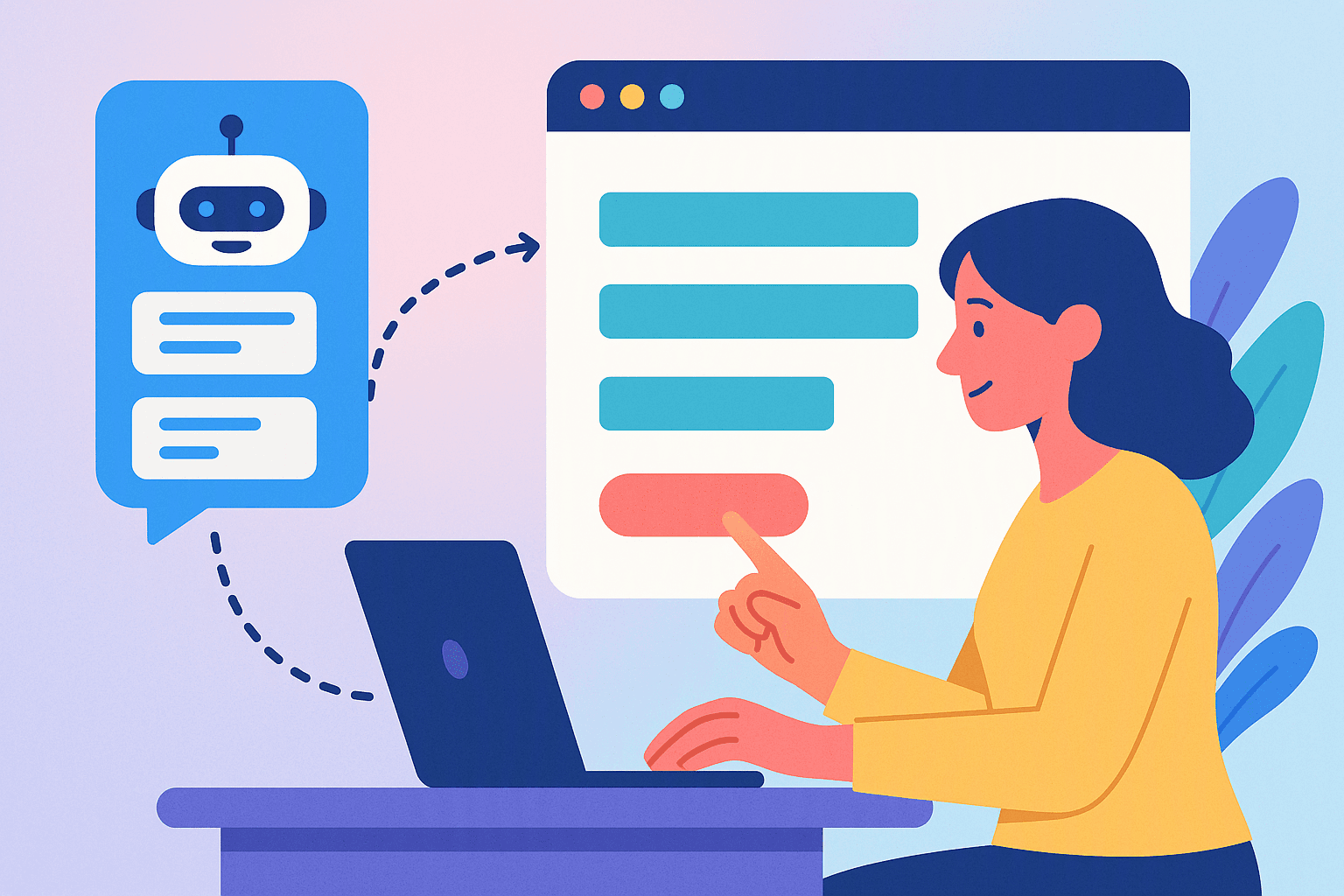
A modern AI website agent closes that gap by combining voice, text, website navigation, and lead capture in one experience.
Key Takeaways
- A basic chatbot answers questions, but a website agent can guide visitors through pages, click buttons, fill forms, and capture lead details.
- The right alternative depends on your traffic, lead value, form complexity, and need for after-hours coverage.
- AI voice and text agents are useful when visitors need guidance before they are ready to submit a form.
- A practical implementation starts with one high-value journey, such as booking an appointment or requesting a quote.
- Woizer can launch a website agent from your URL with no code, 30+ language support, and a setup process designed to take about two minutes.
Why Businesses Are Looking for a Website Lead Capture Chatbot Alternative
A chatbot can be useful for answering repetitive questions. The problem is that answering questions is only one part of conversion.
A visitor may ask:
- “Do you serve my area?”
- “How much does this cost?”
- “Can I book for next week?”
- “Which plan is right for me?”
- “What information do I need for a quote?”
- “Can someone call me after 5 p.m.?”
If the chatbot gives an answer but does not help the visitor take the next step, the interaction may end without a lead.
The same issue appears with conventional forms. A form may collect name, email, phone number, and a message, but it usually asks the visitor to do all the work:
- Find the form.
- Understand what each field means.
- Decide what information to enter.
- Handle validation errors.
- Submit the form.
- Wait for a response.
That process is manageable for a simple contact form. It becomes frustrating when the visitor needs a quote, appointment, consultation, insurance intake, onboarding review, or service estimate.
A website lead capture chatbot alternative should reduce that friction rather than add another interface.
The gap between engagement and conversion
Many website tools are built around engagement metrics:
- Number of chats started
- Number of messages exchanged
- Number of pages viewed
- Number of visitors who opened the widget
Those metrics can be useful, but they do not necessarily indicate business value.
A visitor who exchanges 12 messages with a bot but never submits contact details is not the same as a visitor who books an appointment. A tool that creates activity but does not move people toward a meaningful action may look busy without improving the pipeline.
The better question is:
Can this system help a qualified visitor complete the next step?
That next step might be:
- Booking a consultation
- Requesting a quote
- Starting an application
- Scheduling a service call
- Finding the right product
- Completing a pre-qualification form
- Calling the business
- Asking for a follow-up by SMS or email
What Makes a Strong Website Lead Capture Chatbot Alternative?
Not every chatbot replacement solves the same problem. Before choosing a platform, separate the basic capabilities from the capabilities that directly influence conversion.
1. It understands intent, not just keywords
A rigid chatbot may wait for a visitor to select the right button or type the exact phrase used in its training data.
An AI agent should recognize that these requests may mean the same thing:
- “I need someone to fix my water heater.”
- “My hot water stopped working.”
- “Can I get a repair estimate?”
- “Do you have an emergency plumber?”
Intent-based interaction lets the agent guide the visitor even when the wording is unpredictable.
2. It can act on the website
A text response is not always enough. The agent should be able to help the visitor complete the journey by:
- Opening the relevant page
- Highlighting a product or service
- Clicking a booking button
- Directing the visitor to a pricing section
- Starting a form
- Filling fields from the conversation
- Sending the visitor to a contact or checkout flow
This turns the agent from a question-answering tool into a website navigation layer.
Woizer’s Widget Agent is designed for this type of interaction. It can be embedded on a website with one script tag and guide visitors through pages, buttons, products, and forms.
3. It supports voice as well as text
Some visitors prefer typing. Others would rather speak, especially on mobile devices or when the process involves several questions.
Voice can be particularly useful for:
- Insurance intake
- Home-service estimates
- Medical or dental appointment requests
- Product discovery
- Complex onboarding
- Long forms with multiple fields
A voice interface can ask one question at a time and confirm the answer before moving forward. That is often easier than presenting a long form all at once.
4. It captures structured information
A useful lead record should contain more than “Visitor chatted with bot.”
Depending on the business, the agent may need to capture:
- Name
- Phone number
- Email address
- Service type
- Location
- Preferred appointment time
- Budget range
- Product interest
- Urgency
- Insurance or onboarding details
- Consent for follow-up
The agent should collect this information conversationally and pass it into the business’s existing workflow wherever possible.
5. It works outside business hours
A website visitor does not necessarily arrive during office hours. If the only available action is “leave a message,” the business may lose momentum.
An AI agent can continue the conversation after hours, collect the necessary information, and set an expectation for follow-up. For businesses that receive urgent requests, it can also direct visitors toward emergency procedures.
For phone coverage, Woizer’s Phone Agent answers calls 24/7, books appointments, routes emergencies, and sends SMS follow-ups. A website agent and phone agent can cover two different entry points into the same customer journey.
See it work on your site
Paste your URL — get a working voice agent in 2 minutes. Free, no credit card.
Website Lead Capture Chatbot Alternative: What Are You Replacing?
The best choice depends on what is failing today. A chatbot, form, live chat tool, and AI agent each solve different parts of the conversion process.
Traditional chatbot
A traditional chatbot is usually best for:
- Frequently asked questions
- Basic routing
- Simple menu-based interactions
- Directing visitors to known pages
- Deflecting repetitive support requests
Its limitations often include:
- Limited ability to navigate a website
- Weak handling of unexpected questions
- Little support for complex forms
- No human-like voice interaction
- Inconsistent lead qualification
- Difficulty handling conversations that change direction
Static lead form
A form is best when:
- The visitor already knows what they need
- The number of fields is low
- The information is simple
- The process does not require explanation
Forms become less effective when the visitor needs help deciding what to enter or why the information is required.
Live chat
Live chat can provide a strong experience when someone is available and trained to respond. It becomes difficult to scale when:
- The team is small
- Response times vary
- Messages arrive outside business hours
- Multiple conversations require attention at once
- The same questions repeat every day
AI website agent
An AI website agent is a better fit when the business wants to combine:
- Website guidance
- Lead capture
- Voice interaction
- Automated qualification
- Form completion
- Appointment requests
- After-hours availability
Here is a practical comparison.
| Option | Best for | Main limitation | Conversion role |
|---|---|---|---|
| Traditional chatbot | FAQs and simple routing | Often cannot complete complex actions | Answers and directs |
| Static form | Simple, predictable inquiries | Creates manual effort for visitors | Collects submitted details |
| Live chat | High-touch conversations | Requires staff availability | Converts when staffed |
| AI website agent | Guided journeys and automated capture | Requires careful setup and testing | Explains, navigates, qualifies, and captures |
| AI voice agent | Calls and voice-first workflows | Needs clear escalation rules | Answers, books, routes, and follows up |
The important distinction is not whether one tool is “better” in every situation. The distinction is whether your current tool matches the amount of guidance your visitors need.
When an AI Agent Is a Better Website Lead Capture Chatbot Alternative
An AI agent is worth considering when your website visitors often need assistance before converting.
Use case 1: Home services
A plumbing, HVAC, electrical, or roofing company may need to know:
- What service is required?
- Is the issue urgent?
- Where is the property located?
- Is the visitor an owner or tenant?
- When should the technician arrive?
- Does the customer have photos or additional details?
A static form can collect this information, but it may feel long and confusing. An AI agent can ask the questions conversationally and route urgent requests appropriately.
Use case 2: Dental and medical practices
A practice website may need to support several visitor types:
- New patients
- Existing patients
- People requesting a consultation
- Patients asking about accepted insurance
- Visitors looking for emergency guidance
- People trying to reschedule
A website agent can guide each visitor to the right action instead of forcing everyone through the same contact page.
Use case 3: Insurance and financial services
Insurance forms can be intimidating because visitors may not know which details matter. A Form Assistant can guide the visitor through the process by voice, ask for one field at a time, and fill the form as the person responds.
This is useful for:
- Quote requests
- Policy applications
- Claims intake
- Employee onboarding
- Customer verification
- Eligibility questionnaires
Use case 4: Ecommerce product discovery
A visitor may know the problem they want to solve but not the product name. For example:
- “I need a laptop for video editing under $1,500.”
- “Which shoes are best for standing all day?”
- “I need a gift for someone who likes camping.”
- “What product works for sensitive skin?”
An agent can ask follow-up questions and highlight relevant products instead of sending the visitor through multiple category pages.
Real-World Scenarios: How the Alternative Works
The following scenarios are illustrative examples showing how a business could use an AI website agent. The numbers describe the workflow, not industry averages or guaranteed results.
Scenario 1: A local HVAC company with missed evening inquiries
An HVAC company receives website traffic from homeowners searching for repairs and installations. The team has three office employees, but they answer calls only from 8 a.m. to 5 p.m.
The company receives 40 website inquiries in a week:
- 18 arrive during business hours
- 22 arrive after hours
- 14 of the after-hours visitors leave without submitting a form
- The existing form asks for 9 fields, including system type, issue description, address, and preferred time
The company adds a website agent that:
- Asks whether the request is an emergency.
- Identifies repair, maintenance, or replacement intent.
- Collects the address and contact information.
- Offers available appointment windows.
- Sends a confirmation by SMS.
- Routes emergency instructions when appropriate.
The goal is not to make the agent pretend to be a technician. The goal is to remove the dead end between “I need help” and “someone from the company will follow up.”
If the agent captures even 8 of the 14 previously abandoned after-hours inquiries, the business has created 8 additional opportunities from traffic it was already receiving.
Scenario 2: A dental practice replacing a confusing inquiry form
A dental office has a new-patient form with 15 fields. Visitors often start the form but stop when asked for insurance information, preferred provider, or appointment preferences.
During one month, the practice sees:
- 300 visits to its new-patient page
- 75 form starts
- 28 completed submissions
- 47 visitors who begin but do not finish
The practice introduces a voice-and-text agent that asks a short series of questions:
- Are you a new or existing patient?
- What type of appointment do you need?
- Do you have a preferred day?
- What is your name and best contact method?
- Would you like help with insurance information?
The agent can then direct visitors to the booking system or capture a callback request. The practice still keeps the original form for visitors who prefer it, but adds a guided option for people who want assistance.
The improvement is not dependent on making every visitor talk to AI. It comes from offering a lower-friction path to visitors who would otherwise abandon the form.
Scenario 3: A SaaS company qualifying inbound traffic
A software company sells to both small businesses and larger teams. Its website receives requests from:
- Solo operators
- Marketing teams
- Agencies
- Enterprise procurement groups
- Existing users needing support
The existing chatbot routes many visitors to the same “Contact Sales” page. Sales representatives receive incomplete inquiries and spend time asking basic qualification questions.
The company configures an agent to ask:
- What type of business do you operate?
- How many people need access?
- What problem are you trying to solve?
- Are you evaluating software now or researching options?
- What is the best way to follow up?
The agent can then:
- Send self-serve visitors to the right product page
- Direct existing customers to support resources
- Capture qualified sales requests
- Offer a meeting link to high-intent visitors
- Record the visitor’s requirements in the lead details
This approach makes the website more useful without requiring a salesperson to monitor every interaction.
How to Choose the Right Website Lead Capture Chatbot Alternative
Use this decision framework before selecting a platform.
Choose a form-first approach if:
- Your process has fewer than five straightforward fields
- Visitors already understand what they want
- You do not need qualification
- The request is not time-sensitive
- Your team can follow up consistently
Choose live chat if:
- Conversations are highly specialized
- Customers require human judgment
- You have staff available during peak hours
- The volume is manageable
- A fast human response is part of your brand promise
Choose a traditional chatbot if:
- Most questions are repetitive
- The visitor journey is simple
- You mainly need page routing
- The chatbot does not need to collect much information
- You want a basic FAQ layer
Choose an AI website agent if:
- Visitors need guidance before converting
- Your site has multiple services, products, or paths
- You want voice and text interaction
- Forms are long or complex
- You need lead capture after hours
- Your team wants fewer repetitive conversations
- The agent must take actions on the website
Choose an AI phone agent if:
- Phone calls are a major source of leads
- Calls arrive after hours
- Staff frequently miss calls
- Appointment booking is repetitive
- You need emergency routing
- Customers prefer speaking to a person or voice system
In many cases, the best setup is not one tool replacing every other tool. It is a coordinated system:
- Website agent for visitors
- Form Assistant for complex data collection
- Phone Agent for callers
- Human team for high-value or sensitive conversations
How to Implement a Website Lead Capture Chatbot Alternative
A successful implementation does not start by trying to automate everything. Start with one conversion path and make it reliable.
Step 1: Identify the highest-value visitor journey
Review your website and choose one path with clear business value.
Examples:
- “Request a plumbing estimate”
- “Book a dental consultation”
- “Find the right software plan”
- “Schedule a home cleaning”
- “Start an insurance quote”
- “Speak with sales”
Avoid starting with a vague goal such as “answer all questions.” A specific journey is easier to configure, test, and measure.
Step 2: List the questions visitors ask before converting
Review:
- Sales emails
- Call transcripts
- Contact form messages
- Live chat conversations
- Search queries
- Support tickets
- Questions asked by staff
Group the questions into categories:
- Pricing
- Availability
- Service area
- Eligibility
- Product fit
- Scheduling
- Urgency
- Next steps
This gives the agent a practical knowledge base based on real customer language.
Step 3: Define the minimum information needed
Do not ask for every possible detail at the beginning. Identify the smallest set of information your team needs to act.
For a service business, that may be:
- Name
- Phone number
- Location
- Service required
- Urgency
- Preferred time
For a SaaS business, it may be:
- Work email
- Company size
- Use case
- Timeline
- Number of users
For an insurance workflow, the required fields may be more extensive, which is where the Form Assistant can provide a guided experience.
Step 4: Design the conversation path
Create a simple flow:
- Welcome the visitor.
- Ask what they need.
- Confirm the intent.
- Answer the most relevant question.
- Ask for the next required detail.
- Offer a clear action.
- Confirm what happens next.
Avoid making the agent sound like a survey. The conversation should respond to what the visitor says.
For example:
“I can help you request a roof inspection. Is this for a new leak, storm damage, or a planned replacement?”
That is more useful than:
“Please select an option from the following menu.”
Step 5: Connect the agent to website actions
Determine which actions the agent should perform:
- Open a service page
- Highlight a product
- Launch a booking calendar
- Start a quote form
- Fill fields
- Send an SMS follow-up
- Display a phone number
- Route to emergency instructions
This is where an AI website agent differs from a simple chat window. The goal is to move the visitor through the website, not keep them trapped in a conversation.
Step 6: Add escalation rules
The agent should know when not to continue on its own.
Create escalation rules for:
- Emergency requests
- Legal or medical questions requiring professional judgment
- Billing disputes
- Angry or distressed visitors
- Requests involving sensitive personal information
- Questions outside the business’s services
- Visitors asking for a human
Escalation may mean displaying a phone number, sending a message to staff, routing a call, or creating a priority follow-up.
Step 7: Test real visitor language
Test the agent with the wording people actually use, including:
- Misspellings
- Short questions
- Voice transcription errors
- Regional terms
- Incomplete sentences
- Multiple requests in one message
- Visitors changing their minds
Ask several people who were not involved in setup to try the experience. They will find confusing prompts and dead ends faster than the person who built the flow.
Step 8: Launch on one page or one segment
You do not need to deploy the agent across every page immediately.
Start with:
- A high-traffic service page
- A pricing page
- A new-patient page
- A quote page
- A product category
- A landing page from paid advertising
This gives you a controlled environment for learning.
Step 9: Measure business outcomes
Track more than conversations. Useful measures include:
- Leads captured
- Completed forms
- Appointment requests
- Calls generated
- Qualified inquiries
- After-hours leads
- Escalations to staff
- Abandoned conversations
- Time to follow-up
- Conversion by page
Also review conversation transcripts regularly. Qualitative review often reveals issues that a dashboard will not show.
Step 10: Improve one friction point at a time
If visitors regularly ask about pricing, make pricing easier to find. If they abandon at the phone number field, adjust the prompt. If they ask for a human repeatedly, revise the escalation path.
The objective is not to make the AI talk more. It is to make the customer journey shorter and clearer.
Common Concerns About Replacing a Website Chatbot
Concern 1: “Will visitors dislike talking to AI?”
Some visitors will prefer a human. That is normal. The goal is not to force every visitor into an AI conversation.
Give people options:
- Text chat
- Voice interaction
- Self-service navigation
- Direct phone call
- Human follow-up
The agent should also identify itself clearly rather than pretending to be a person. Transparency builds more trust than an artificial human persona.
Concern 2: “What if the agent gives the wrong answer?”
This concern is valid. An AI agent should not invent policies, prices, availability, or professional advice.
Reduce the risk by:
- Giving the agent approved business information
- Limiting it to relevant website content
- Defining topics it must not answer
- Requiring confirmation for important details
- Providing an escalation path
- Reviewing conversations after launch
- Updating information when services or policies change
For regulated or sensitive industries, the agent should support intake and routing rather than replace professional judgment.
Concern 3: “Will setup require developers?”
Many small businesses avoid new tools because implementation sounds technical. Woizer is designed for no-code setup: scan the website URL, configure the agent, and add one script tag.
Your team still needs to decide what the agent should do, what information it may use, and where conversations should go. But the basic installation does not require a full development project.
Concern 4: “Will this replace our existing forms?”
It does not have to. Keep forms for visitors who prefer them. Add a conversational path for people who need guidance.
The two experiences can work together:
- Static form for direct submissions
- Widget Agent for questions and navigation
- Form Assistant for complex intake
- Phone Agent for calls and appointment requests
The best customer experience usually gives people more than one way to complete a task.
Concern 5: “Will voice interaction slow down the website?”
Performance matters. Woizer’s agents are designed for response times under 500 milliseconds, along with support for more than 30 languages. Actual experience depends on the visitor’s connection, device, browser, and the complexity of the requested action, but speed should be treated as a core requirement rather than an afterthought.
Concern 6: “What if the agent captures low-quality leads?”
Automation does not automatically create qualification. The questions and handoff rules matter.
To improve lead quality:
- Ask one or two intent questions early
- Confirm service area or eligibility
- Capture the visitor’s timeframe
- Separate support requests from sales requests
- Use different flows for different services
- Route urgent requests separately
- Show clear expectations for follow-up
A smaller number of well-contextualized leads can be more valuable than a larger number of incomplete submissions.
Website Lead Capture Chatbot Alternative: What to Look For in a Vendor
Use this checklist when comparing platforms.
Core interaction
- Voice and text support
- Natural language understanding
- Multiple languages
- Fast responses
- Mobile-friendly experience
- Clear disclosure that the visitor is interacting with AI
Website actions
- Page navigation
- Button clicks
- Product highlighting
- Form launching
- Form filling
- Appointment scheduling
- Links to human support
Lead operations
- Structured lead capture
- Contact details and custom fields
- Qualification questions
- SMS or email follow-up
- Notifications for staff
- Conversation history
- Export or integration options
Business controls
- Editable knowledge and instructions
- Escalation rules
- Restricted topics
- Analytics
- Transcript review
- Ability to update content without rebuilding the entire experience
Implementation
- No-code installation
- URL-based setup or website scanning
- Clear onboarding
- Support for multiple pages
- Ability to test before launch
- Pricing that matches your lead volume and workflow complexity
A Practical Rollout Plan for Small Businesses
A small business does not need to automate its entire website in one day. A staged rollout is safer and more useful.
Week 1: Map the journey
Choose one page and document:
- Who visits it
- What they want
- What questions they ask
- What information staff need
- What action counts as a conversion
Week 2: Build the first agent flow
Create:
- A short greeting
- Three to five common intents
- The minimum lead fields
- One primary call to action
- One human escalation path
Week 3: Test and refine
Ask staff members and a few trusted customers to use the agent. Review:
- Misunderstood questions
- Repetitive prompts
- Missing information
- Incorrect routing
- Points where people request a human
Week 4: Launch and monitor
Place the agent on the selected page. Review conversations daily at first, then establish a weekly review process.
Measure:
- Completed lead journeys
- Lead quality
- Appointment requests
- Form completion
- Calls and SMS follow-ups
- Visitor drop-off points
After the first month, decide whether to expand to another page, another language, or another workflow.
Why Woizer Is a Practical Alternative
Woizer is built for businesses that want more than a website chatbot but do not want to hire a team to maintain a complex automation system.
Its product suite covers three common conversion gaps:
- Widget Agent: A voice-and-text website agent that navigates pages, clicks buttons, highlights products, fills forms, and captures leads.
- Phone Agent: A 24/7 AI receptionist that answers calls, books appointments, routes emergencies, and sends SMS follow-ups.
- Form Assistant: A voice-guided form experience that fills fields as the visitor speaks.
The platform supports more than 30 languages, is designed for response times under 500 milliseconds, and offers a no-code setup from a website URL scan. For a business owner, that means the starting point is practical: choose one visitor journey, define the desired outcome, and place the agent where people are already asking for help.
You can review the platform at Woizer, explore the AI phone agent, or compare plans on the pricing page.
Final Takeaway
The best website lead capture chatbot alternative is not simply another chatbot with a different interface. It is a system that helps visitors move from interest to action.
If your visitors only need a quick answer, a basic chatbot may be enough. If they need guidance, qualification, website navigation, form assistance, or after-hours support, you need a more capable layer.
Start with one high-value journey. Give visitors voice and text options. Ask only for the information your team needs. Connect the conversation to real website actions. Add clear escalation rules. Then measure completed outcomes instead of chat volume.
For small businesses that want to improve conversion without hiring around-the-clock staff, an AI website agent can provide a practical middle ground between a static form and a fully staffed sales or support desk.
See it work on your site
Paste your URL and get a working voice agent in 2 minutes. Free, no credit card.
Try it free →